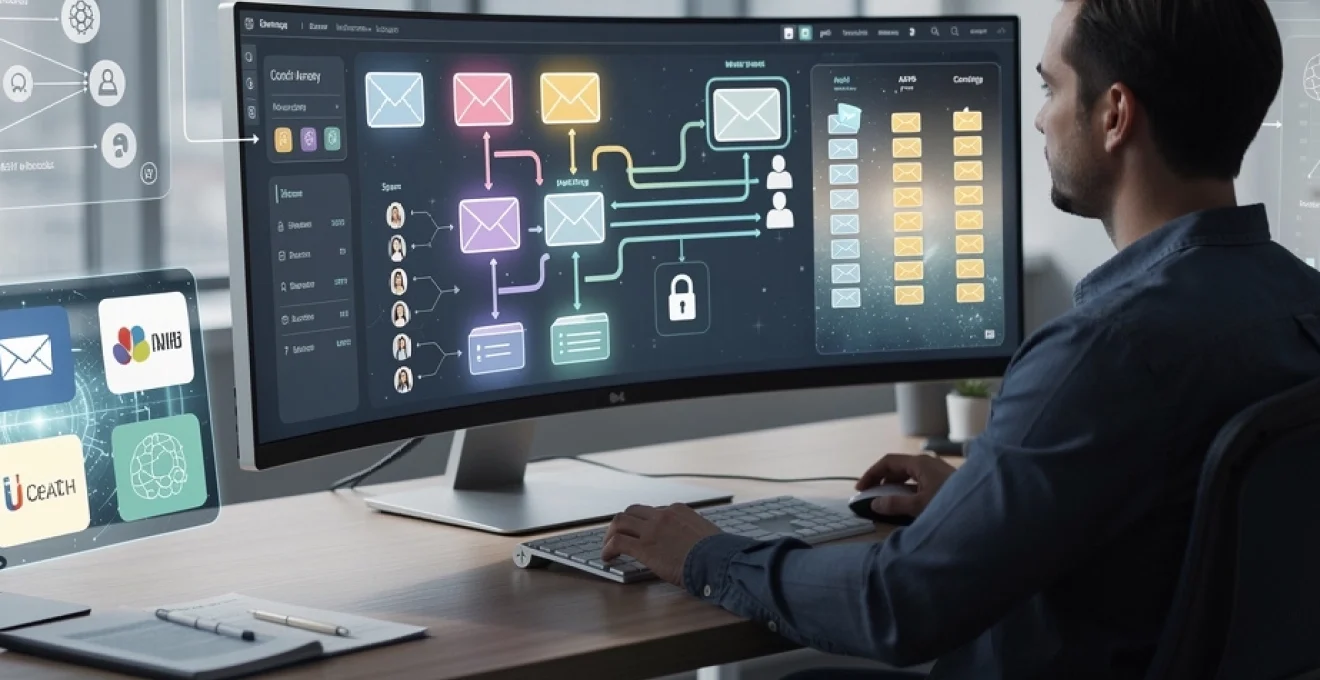
Email automation has become a critical component of modern business operations, with organisations processing an average of 121 emails per employee daily. The challenge lies in implementing automated systems that enhance efficiency whilst maintaining the personal touch and strategic oversight that effective communication demands. Modern email automation solutions offer sophisticated capabilities that can transform your inbox from a source of overwhelm into a streamlined productivity engine.
The key to successful email automation lies in balancing technological sophistication with human judgment. Rather than replacing human decision-making, effective automation amplifies your ability to respond promptly and appropriately to diverse communication needs. This approach requires careful consideration of platform selection, intelligent filtering systems, and robust monitoring mechanisms that ensure your automated responses maintain professional standards and contextual relevance.
Email automation platform selection: microsoft power automate vs zapier vs IFTTT
Selecting the appropriate automation platform fundamentally determines the sophistication and reliability of your email management system. Microsoft Power Automate, Zapier, and IFTTT each offer distinct advantages depending on your organisational requirements and technical infrastructure. Power Automate excels in Microsoft-centric environments, providing native integration with Office 365 and sophisticated conditional logic capabilities that enable complex workflow automation.
Zapier dominates the multi-platform integration space, supporting over 5,000 applications with robust API connectivity and user-friendly workflow builders. The platform’s strength lies in its ability to connect disparate systems seamlessly, making it ideal for organisations using diverse software ecosystems. IFTTT, whilst more limited in scope, offers exceptional simplicity for basic automation tasks and proves particularly effective for individual users or small teams requiring straightforward trigger-action workflows.
When evaluating these platforms, consider factors such as integration requirements, workflow complexity, scalability needs, and cost structures. Power Automate’s pricing starts at £4.20 per user monthly, whilst Zapier begins at $19.99 monthly for basic plans. IFTTT offers a free tier with premium features available for $3.99 monthly, making it the most cost-effective option for simple automation needs.
IMAP and SMTP protocol integration for seamless connectivity
IMAP and SMTP protocol integration forms the foundation of reliable email automation, enabling your chosen platform to communicate effectively with email servers. IMAP (Internet Message Access Protocol) facilitates real-time synchronisation between your automation platform and email client, ensuring that automated actions reflect accurately across all devices and applications. This protocol supports advanced features such as folder management, message flagging, and search capabilities that enhance automation precision.
SMTP (Simple Mail Transfer Protocol) handles outbound email delivery, requiring careful configuration to maintain deliverability rates and avoid spam filters. Modern automation platforms typically provide secure SMTP connections with authentication mechanisms that protect against unauthorised access whilst ensuring reliable message delivery. Consider implementing dedicated SMTP servers for high-volume automated communications to maintain sender reputation and delivery consistency.
API rate limiting considerations for High-Volume email processing
API rate limiting presents a critical consideration for organisations processing substantial email volumes through automated systems. Gmail’s API, for instance, imposes a default quota of 1,000,000,000 quota units per day, with individual operations consuming varying amounts based on complexity. Understanding these limitations prevents automation failures and ensures consistent performance during peak processing periods.
Effective rate limiting strategies include implementing exponential backoff algorithms, distributing processing across multiple time periods, and utilising batch operations where available. Microsoft Graph API offers batch processing capabilities that can process up to 20 individual requests simultaneously, significantly improving efficiency for bulk operations. Monitor your API usage regularly and implement alerting systems that notify administrators when approaching quota limits.
Oauth 2.0 authentication setup for gmail and outlook integration
OAuth 2.0 authentication provides secure, token-based access to email accounts without exposing user credentials to automation platforms. This authentication method offers superior security compared to traditional password-based authentication whilst enabling granular permission control. Gmail and Outlook both support OAuth 2.0, requiring initial setup through their respective developer consoles and careful management of refresh tokens to maintain persistent access.
The authentication process involves registering your automation application, configuring appropriate scopes, and implementing token refresh mechanisms. Gmail requires specific scopes such as https://www.googleapis.com/auth/gmail.readonly
for read-only access or https://www.googleapis.com/auth/gmail.modify for workflows that archive, label, or mark messages as read. For Outlook and Microsoft 365, you will typically configure scopes such as Mail.Read, Mail.ReadWrite, or Mail.Send via Azure Active Directory. In both ecosystems, store tokens securely, implement automatic refresh before expiry, and restrict consent to the minimum scope required so that your automated email management remains both secure and auditable.
Webhook configuration for real-time email event triggers
Whilst polling an inbox on a schedule is simple, it often introduces delays and unnecessary API calls. Webhooks enable real-time email automation by notifying your workflow the moment a defined event occurs, such as a new inbound message, a message being labelled, or a status change. Gmail’s Pub/Sub API and Microsoft Graph change notifications both provide webhook-style mechanisms that integrate well with Zapier, Power Automate, and custom middleware.
Configuring webhooks generally involves registering a callback URL, validating ownership of that endpoint, and defining the events you want to subscribe to. Your automation platform then receives signed HTTP requests whenever email activity matches your criteria, allowing you to trigger downstream actions instantly. To maintain reliability, implement verification of webhook signatures, idempotency checks to avoid duplicate processing, and fallback polling for critical flows in case webhook delivery is temporarily disrupted.
Intelligent email filtering and classification systems
Once your platform connectivity is in place, intelligent filtering determines whether email automation actually reduces your workload or simply moves the chaos elsewhere. Sophisticated classification helps you distinguish between urgent client requests, low-priority updates, system alerts, and outright spam. By combining machine learning, rules-based logic, and content analysis, you can route each message to the correct queue, apply the most appropriate automation, and reserve human attention for the conversations that genuinely require judgment.
An effective intelligent email filtering system should operate much like a triage nurse in a busy hospital: quickly assessing each “case”, assigning a priority, and directing it to the right specialist. If your automation misclassifies messages, you risk missed opportunities or delayed responses, so investing time in training and tuning these filters pays off quickly. Modern tools increasingly bundle these capabilities, but understanding the underlying techniques gives you far more control.
Machine learning algorithms for automated email prioritisation
Machine learning-based prioritisation uses historical email data to predict which messages deserve immediate attention. Common approaches include gradient boosted trees, random forests, or logistic regression models trained on features such as sender reputation, previous response behaviour, thread length, and presence of keywords like “urgent” or “invoice”. Some platforms now expose this as “priority inbox” functionality, but you can also build your own models using services such as Azure Machine Learning or Google Vertex AI.
To start, you can label a sample of past emails as high, medium, or low priority, then feed this dataset into your model. Once trained, the algorithm assigns a probability score to each new message, which your automation platform translates into actions—such as moving high-priority items into a “Needs Action” folder or notifying you via Microsoft Teams. You should periodically review misclassified emails and re-train the model, treating it as a living system rather than a one-off configuration.
Regular expression patterns for subject line and content parsing
Not every organisation needs full machine learning to automate email filtering. Regular expressions (regex) remain a powerful, lightweight way to detect structured information in subject lines and message bodies. You can match invoice numbers, support ticket IDs, order references, or specific phrases such as “RFP”, “contract amendment”, or “payment confirmation”. These patterns give your automation workflows a reliable hook for routing messages and extracting key data for downstream systems.
For example, a regex like /INV-d{6}/ can identify invoice references and push those messages into your finance queue, whilst a pattern such as /(?:urgent|asap|immediately)/i may raise the priority of certain customer requests. The key is to keep patterns as simple and maintainable as possible, documenting them clearly so that non-technical colleagues can understand and review them. When combined with labels and rules in Outlook or Gmail, regex-based parsing offers a powerful middle ground between manual triage and full AI-driven classification.
Bayesian spam filtering integration with automation workflows
Bayesian spam filtering has long been the backbone of intelligent email defence, using probabilistic models to determine whether a message is likely to be spam based on its content and metadata. Many mail servers and clients already apply Bayesian filters, but you can amplify their effectiveness by feeding their verdicts into your automation workflows. For instance, if a message receives a spam probability above a given threshold, your automation can move it to a quarantine folder and bypass further processing steps.
In environments where you manage your own mail infrastructure, you can expose Bayesian scores via headers (such as X-Spam-Score) and let Power Automate or Zapier read these values when messages arrive. Messages with borderline scores can be tagged for human review rather than being silently discarded, ensuring that legitimate but unusual communications are not lost. This layered approach allows your email automation to stay responsive whilst maintaining a strong line of defence against phishing and junk email.
Natural language processing for sentiment analysis and urgency detection
Natural language processing (NLP) allows your automation system to go beyond simple keyword matching and understand the tone and intent behind an email. Sentiment analysis models can flag messages that express frustration or dissatisfaction, enabling you to prioritise at-risk customers. Likewise, urgency detection models can identify phrases that imply time sensitivity, even when the sender does not explicitly label the email as “urgent” in the subject line.
Many cloud platforms now offer pre-trained NLP models accessible via API, which you can call from Power Automate or Zapier. For example, when a new support email arrives, your workflow can send the body text to an NLP service, receive a sentiment score, and route high-frustration messages directly to senior agents. Think of this as giving your inbox a basic level of emotional intelligence; it does not replace your judgment, but it ensures the most delicate conversations reach you sooner.
Advanced auto-response configuration and template management
Auto-responses are often associated with simplistic “out of office” messages, but modern email automation lets you build nuanced, context-aware replies that preserve your professional tone. When designed carefully, these responses reassure senders that their message has been received, set clear expectations, and sometimes resolve simple queries without further human effort. The goal is not to flood people with robotic confirmations, but to create an intelligent first line of engagement that buys you time without sacrificing responsiveness or control.
To achieve this, you need robust template management, rules that decide when an automatic email is appropriate, and safeguards that prevent auto-responses from escalating an already sensitive situation. Treat your templates as living assets: review them regularly, align them with your brand voice, and ensure that internal teams know which scenarios trigger which automatic emails.
Dynamic content personalisation using merge fields and variables
Personalised auto-responses feel considerably more human than generic acknowledgements. Merge fields and variables allow you to reference the sender’s name, company, ticket number, or previous interaction history directly within your automated template. Most email automation tools support placeholders such as {{first_name}}, {{company}}, or {{case_id}}, which are replaced at send time with actual values pulled from your CRM or helpdesk system.
For example, a support acknowledgement could read, “Hi {{first_name}}, we’ve received your request about {{issue_topic}}. Your reference number is {{case_id}}.” This level of detail signals that your system has understood the context of their message, not just its existence. When combined with dynamic sections—such as including different paragraphs based on product, region, or customer tier—you can deliver tailored communication at scale while keeping the underlying email management fully automated.
Conditional logic implementation for context-aware responses
Conditional logic is what prevents your auto-responses from sounding tone-deaf. By applying “if this, then that” rules, you can adapt your reply based on factors like time of day, sender type, message content, or sentiment score. For instance, you might send a different acknowledgement to a VIP client than to a general enquiry, or suppress automatic replies altogether when the email contains certain legal or HR-related keywords.
In platforms like Microsoft Power Automate and Zapier, conditional branches allow you to build these distinctions into your workflows visually. You can test for criteria such as “Is the sender on our key accounts list?” or “Does the subject contain ‘complaint’?” and route the message accordingly. Over time, you can refine this logic by analysing which automated responses led to smooth interactions and which ones required extra clarification from your team.
Multi-language auto-response templates with locale detection
For organisations operating across multiple regions, language can make or break a customer’s first impression of your responsiveness. Multi-language auto-response templates allow you to reply in the recipient’s preferred language without manual intervention. Locale detection can rely on several signals: the language of the incoming email, the country code of the sender’s domain, or the language preference stored in your CRM.
You might maintain a central library of templates—English, French, Spanish, German and so on—with shared structure but localised tone and phrasing. Your automation workflow then selects the right template version based on detected locale and falls back to a default language when in doubt. This approach ensures consistent information across markets while respecting local expectations, and it significantly reduces the temptation to respond in a single, potentially inaccessible language for everyone.
Escalation triggers for human intervention requirements
Even the most advanced auto-response system must recognise its limits. Escalation triggers define where automation ends and human intervention begins, ensuring that complex, sensitive, or high-value conversations receive personal attention. Typical triggers include certain keywords (for example “termination”, “legal notice”, “data breach”), repeated replies to an automated message, extremely negative sentiment scores, or emails from specific stakeholders such as regulators or executive sponsors.
When such triggers fire, your workflow should route the email to a dedicated queue, alert the relevant owner via Slack or Teams, and suppress further automated responses on that thread. Think of this as an “emergency exit” from automation: the system steps back and hands control to a human, rather than doubling down on scripted replies. Clear escalation logic helps you maintain control and accountability even when most routine email management has been delegated to your automation stack.
Email workflow automation using microsoft power automate and zapier
With the building blocks in place, the next step is orchestrating end-to-end email workflows that connect your inbox to the wider tooling ecosystem. Microsoft Power Automate and Zapier both excel at this, albeit with different strengths. Power Automate integrates deeply with Microsoft 365, SharePoint, Dynamics, and Teams, which makes it ideal if your organisation is already “all in” on the Microsoft stack. Zapier shines in heterogeneous environments where you need to bridge Gmail, Slack, HubSpot, Salesforce, Notion, and hundreds of other SaaS tools.
In practical terms, an email workflow might look like this: a new client enquiry arrives, is classified via NLP, logged as a lead in your CRM, added to a nurture sequence, and assigned to a salesperson—all without you touching your inbox. You can design these flows using visual builders, defining triggers (new email, new label, new calendar event), conditions, and actions (create record, send reply, update spreadsheet). It is often wise to start with a few high-impact flows—such as lead capture, support triage, or invoice routing—before scaling to more complex, multi-step automations.
Monitoring and analytics for automated email performance
Automation without measurement quickly drifts off course. To ensure your email management workflows remain effective and safe, you need robust monitoring and analytics. At a minimum, track metrics such as volume of automated responses, response times by category, escalation rates, and error counts (for example, failed API calls or webhook timeouts). These indicators reveal whether your system is genuinely improving responsiveness or simply creating new bottlenecks.
Many platforms provide dashboards that show open rates, click-through rates, and bounce statistics for automated emails, which you can augment with your own KPIs. For instance, you might monitor how many emails still require manual triage each day or how many high-priority messages are handled within a defined service-level objective. Regular reviews—monthly or quarterly—help you identify patterns: workflows that no longer reflect your processes, templates that generate confusion, or rules that are too aggressive in filtering messages.
Fail-safe mechanisms and human override controls
Finally, responsible email automation design assumes that things will occasionally go wrong and builds in safety nets from the start. Fail-safe mechanisms include hard limits on the number of automatic emails that can be sent within a given timeframe, guardrails that prevent replies to certain domains (such as internal mailing lists or “no-reply” addresses), and circuit breakers that disable a workflow if error rates spike. These controls protect your reputation and prevent an automation mistake from snowballing into a flood of unwanted messages.
Human override controls give you and your team the confidence to rely on automation without feeling trapped by it. Examples include manual approval steps for sensitive outbound emails, an “automation off” switch for specific inboxes, and clear procedures for temporarily reverting to manual handling during incidents. When you treat your automated email system as a partnership between humans and software—rather than a black box—you preserve both responsiveness and control, even as your message volume continues to grow.